hosting, preiswert, billig, unschlagbar, kostenlos, provider, cgi, php, ftp, email

FAQ


Here you can find a set of frequently asked questions that we tried to answer.
A detailed installation manual can be found in the manual section. If you could not find any answer to your question, neither here nor in the manual, please visit our forum.

Statistic is not working
If the statistic script is not working correctly, please follow our checklist:
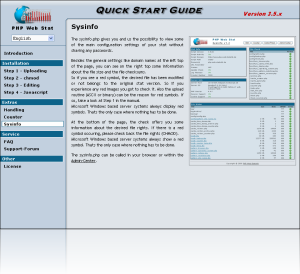
  • Maybe the chmod file rights are not set correctly? Please open the sysinfo.php in your browser. If red symbols occur you got to check the file rights. Maybe you made an error transfering the files to your webserver in a wrong transfer mode? The best way is to delete all files on your server and transfer it again. Only on Windows based servers the red symbols do not mean a wrong configuration. Please check also if you got the newest version of the desired files.
  • Has been set a cookie in the statistic? If so, all of your visits will be not counted.
  • Are there any misconfigured settings in the admincenter? Please read all notices in the admincenter for the right configuration. Please check also if the desired domain is allowed to be tracked.
  • Did you place the Javascripts in your site? Is the path configuration in the admincenter correct? Maybe you open the track.php in your browser manually. It a white and empty site occurs, everything is correct.
  • Is there a htaccess file in the root directory of the stat? Maybe this is the reason for a problem.
  • Do you use a secure URL with https? If so, please add the missing https in all url calls in the Javascript and in the admincenter.
  • Do you track unused url parameters? Please take a look at our manual for the correct configuration.
  • Are some of the values in the statistic wrong? You can delete and recreate the statistic cache in the admincenter.
Single stat modules not shown
There are two possible reasons for not showing some stat modules:
  • the stat module is deactivated in the admincenter
  • if no values have been tracked, the module will not be shown
Own visits not tracked correctly
Please check the configuration of your browser. Cookie handling should be enabled. Maybe you turn on the setting that session cookies should be enabled.
Error permission denied
This error occurs if the file rights have not been set correctly.
IP address of users not tracked correctly
If the problem occurs that the user's ip address is incorrect or missing, here is the solution:
First of all, you got to know your own IP address. After that, open a new textfile and fill it with this:
Code: <?php echo phpinfo();?>

Name the file "test.php", copy it on your webserver and call it in your browser. Now you should see a lot of information. In the second table you should look for your own ip address. Just left to your own ip address in this table, you got to take the variable name, for example "HTTP_X_REMOTECLIENT_IP".

Open the track.php and track_noscript.php and replace the following lines like this: Search for $_SERVER [ "REMOTE_ADDR" ] and replace it with $_SERVER [ "HTTP_X_REMOTECLIENT_IP" ].

Now your stat should work correctly.
Copyright © 2010 by PHP Web Stat | All Rights Reserved | Disclaimer | Contact | Imprint | Contributors | Link to us
Valid XHTML 1.0 Transitional   Valid CSS!